


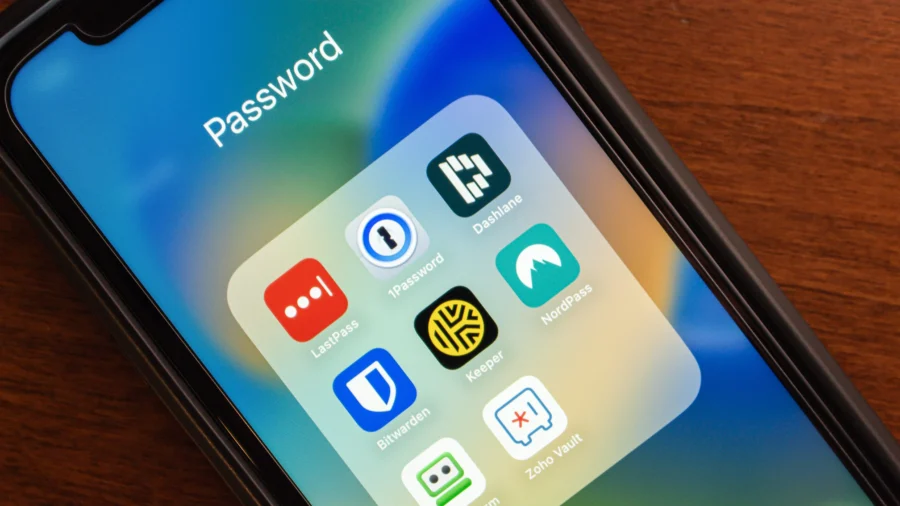
A password manager is a digital vault that stores and encrypts your log-in credentials, allowing you to use unique, complex passwords for every website without having to memorize them. In 2026, they are widely regarded as one of the best practices for personal security.
The Hidden Danger of ‘Good Enough’ Security
Many Americans have a “favorite” password. Maybe it’s a combination of your pet’s name, a significant date, and a special character. It may not be perfect, but at least you can remember it. It feels secure enough for your email, your social media, and your favorite online shoe store.This is called “credential stuffing,” and it is one of the leading causes of account takeovers today.
How a Digital Vault Actually Works
A high-security physical vault is easy to imagine. A digital vault is similar, but instead of gold bars, it holds your digital keys. The average user must remember one “master password,” and the software handles the rest.That may seem way too simplistic, but something much more sophisticated is happening behind the scenes.
Browser-Based Versus Standalone Managers
You may have noticed that Google Chrome, Apple’s Safari, and Microsoft Edge all offer to “Save Password” for you. While these are convenient and better than nothing, there are distinct trade-offs between browser tools and standalone services like Bitwarden, 1Password, or Dashlane.
Building the Habit: Master Passwords and MFA
Password managers do the heavy lifting, but security still relies on two foundational habits.The Master Password
This is the only password you will ever have to remember. It must be strong. Instead of a single word, think of a “passphrase.” Choose four or five random words that create a mental image for you but are impossible for a computer to guess. For example: “Blue-Mountain-Toaster-Running-2026.” It is long, complex, and easy for a human to remember, but a brute-force hacking program would take centuries to crack it.Multifactor Authentication (MFA)
Always turn on MFA for your password manager; it’s the “second check” after you enter your password. A code is sent to your phone or generated by an app. Even if someone manages to guess your master password, they still cannot access your vault without your physical device.Is It Safe to Put All Your Eggs in One Basket?
The most common concern for beginners is the “single point of failure.” If a hacker gets into the vault, don’t they have everything?It’s a valid question. However, security experts argue that having one very strong, heavily guarded “basket” beats having dozens of weak, unmonitored “eggs” scattered across the internet. Using a password manager means replacing 50 weak points with one nearly impenetrable fortress.
Final Steps for Your Digital Safety
If you go this route, you don’t have to change 100 passwords right away. Start by downloading a reputable manager and moving your “Big Three” accounts first—that is, your primary email, your primary bank, and your primary retirement or brokerage account.Frequently Asked Questions About Password Managers
What Should I Do If I Forget My Master Password for the Manager?
The “Zero-Knowledge” security model means most top-tier password managers cannot reset your Master Password for you. If they can reset it, so could a hacker. So, it’s vital to write your master password down on a physical piece of paper and store it in a secure location, like a home safe or a bank lockbox. Many services also provide a “recovery code” or “emergency kit” when you sign up. Print this out and treat it like a birth certificate or a house deed; it is your only way back in.Is a Password Manager Provided by My Web Browser Safe to Use?
Browser-based managers like Google Password Manager or iCloud Keychain are a significant step up from reusing the same password everywhere. Generally, they’re secure and very convenient for beginners—but with limitations. If someone gains access to your computer or your main Google/Apple account, all your saved passwords are vulnerable. Standalone managers usually require an extra layer of authentication and offer more robust security features, making them the preferred choice for those handling sensitive financial data or high-value accounts.Can a Password Manager Protect Me From a Phishing Email Scam?
Yes, this is one of their most underrated benefits! A password manager works by recognizing the exact URL (web address) of a site. If you receive a fake “phishing” email that looks like it is from your bank, but the link actually sends you to a fraudulent site like “secure-bank-login.com,” your password manager will refuse to “auto-fill” your credentials. It knows the site is a fake because it doesn’t match the official bank address stored in your vault. It’s a clever safety net against accidentally giving away your login.Do I Need to Pay for a Password Manager, or Is a Free One Okay?
For most individual users, a free version of a reputable manager like Bitwarden or the free tier of Dashlane is perfectly adequate. These versions usually offer unlimited password storage and sync across your devices. “Premium” or paid versions typically cost between $35 and $60 per year. They have advanced features such as “Digital Legacy” (allowing a spouse to access your vault if something happens to you), file storage for sensitive documents, and advanced health reports that alert you if any of your accounts have been compromised in a new data breach.The views and opinions expressed are those of the authors. They are meant for general informational purposes only and should not be construed or interpreted as a recommendation or solicitation. NTD does not provide investment, tax, legal, financial planning, estate planning, or any other personal finance advice. NTD holds no liability for the accuracy or timeliness of the information provided.
From The Epoch Times