


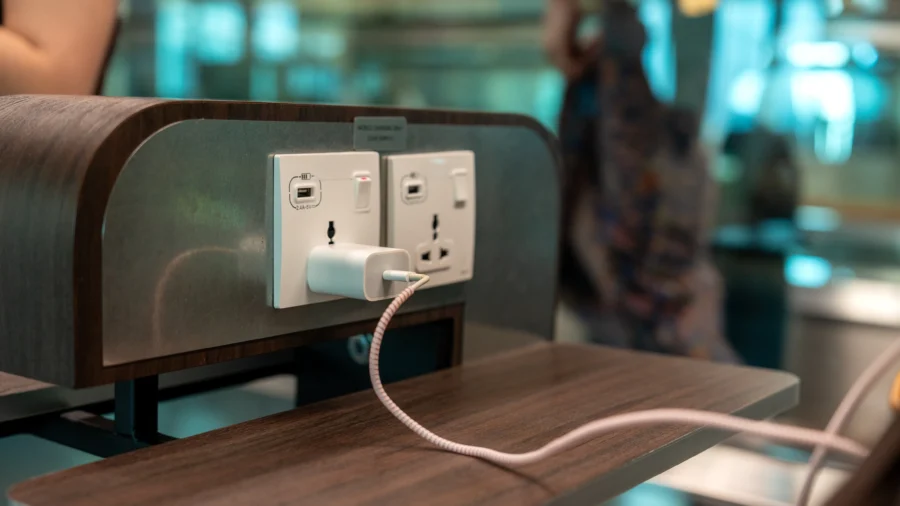
As travelers navigate airports, the temptation to plug a dying phone into a free charging kiosk is hard to resist. However, cybersecurity experts and federal agencies are urging caution, warning that these public USB ports could expose your device to a cyber threat known as “juice jacking.”
Juice jacking is a term that combines “juice,” slang for battery power, with “jacking,” as in hijacking.
The concern is that hackers can install malware or monitoring software onto your device through a compromised USB port, potentially siphoning off files, passwords, or even locking your phone until you pay a ransom.
How Real Is the Threat?
Despite warnings, both the FBI and Federal Communications Commission (FCC) acknowledge a lack of documented cases.The FCC notes, “Although ‘juice jacking’ has been demonstrated to be technically possible as a proof of concept, the FCC is not aware of any confirmed instances of it occurring.”
Real-world incidents have shown that USB-based attacks are part of broader cyber-espionage campaigns. In early 2023, cybersecurity researchers investigated a malware outbreak at a European healthcare institution that was traced back to a compromised USB drive. The attack was linked to a Chinese espionage group known as Camaro Dragon, also referred to as Mustang Panda or LuminousMoth by different security teams.
Separately, U.S. authorities recently exposed a network of Chinese hackers-for-hire, including employees of the company i-Soon, who carried out widespread cyber attacks at the direction of Chinese regime agencies.
Why the Warnings?
The risk, while not widespread, is technologically possible. Demonstrations at hacker conferences have shown that malicious charging kiosks can compromise devices, and researchers have confirmed vulnerabilities in both iPhones and Android phones in controlled settings, according to information from AARP.How to Stay Safe
Federal agencies and cybersecurity experts recommend several precautions:- Avoid public USB ports. “Avoid using free charging stations in airports, hotels or shopping centers,” the FBI Denver office said in a post on X, warning that “bad actors have figured out ways to use public USB ports to introduce malware and monitoring software onto devices.”
- Bring your own charger and cable. Plug directly into an electrical outlet, not a USB port, using your own equipment.
- Carry a portable battery pack. The TSA and FCC both suggest bringing a TSA-compliant power brick or external battery.
- Use charging-only cables or USB data blockers. These devices prevent data transfer while charging, reducing the risk of malware, according to the FCC.
- Keep your device software updated. Experts say that up-to-date software is the best defense, as most attacks exploit vulnerabilities that patches can fix.
- Be wary of public Wi-Fi. The TSA and FCC also warn against using free public Wi-Fi for sensitive transactions, as these networks can be targeted by cybercriminals.
As the TSA put it: “Cybersecurity has never been more important.”